 Event Control Hub
MED 1 dispatched · en route
Built for every kind of live event and venue
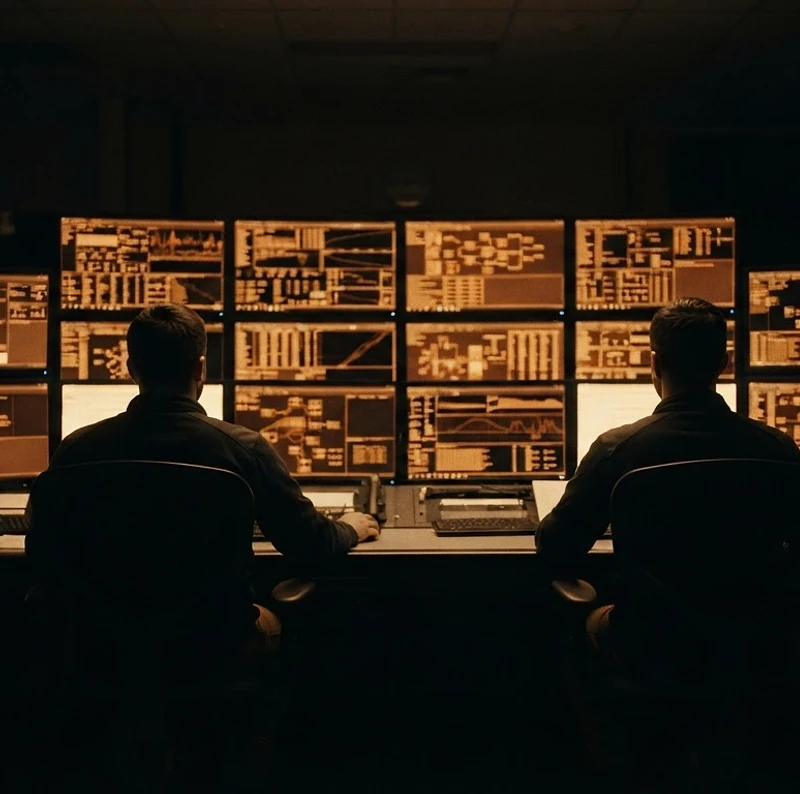
Watch the room come alive.
Incidents land, callsigns acknowledge, priorities shift — everyone sees the same picture the moment it changes. No radio repeats, no lost updates, no paper.
- P1 alerts that cannot be missed
- Callsigns acknowledge in one tap
- A complete, time-stamped audit trail
Why events and venues are moving to Event Control Hub.
Control rooms are leaving paper logs, spreadsheets and group chats behind. This is what they gain from the very first shift.
Every module, every plan
Medical, welfare, lost persons, lost property, equipment, callsigns, maps, wallboards and reporting are all included. No add-ons, no per-module upsell.
Live in hours, not months
Browser-based with nothing to install. Copy last year's setup, invite your teams with a code and be ready before the gates open.
Built for safety-critical work
P1 alerts that cannot be missed, duress for every user, safeguarding leads and sensitive-data controls, designed in from day one.
Audit-ready from the first log
Logs are permanent. Every update, edit, assignment and closure is timestamped with who and when, ready for the debrief or an inquiry.
AI that backs up your controllers
Duplicate detection, matched procedures, follow-up reminders and a live AI briefing on the wallboard. Your team stays in charge.
Works where your teams work
From the control room to the furthest gate. Any phone, offline queueing, and QR-code reporting for staff and the public.
Three steps to your first live event.
Tell us about your event
Size, site, teams and how your control room runs today.
We set it up with you
Your event, teams, callsigns, locations and site maps, ready to go.
Your team signs in and goes live
On any phone, tablet or control-room screen. No install.
Why Event Control Hub is the best choice for your control room.
Paper and chat apps were never built for running a live event. Event Control Hub was built for nothing else.
| What you get | Event Control Hub | Paper and spreadsheets | Chat apps and generic tools |
|---|---|---|---|
| One live log shared across every screen | ✓ | ✕ | – |
| P1 pop-up alerts that cannot be missed | ✓ | ✕ | ✕ |
| Live callsign board with status and breaks | ✓ | – | ✕ |
| Dedicated medical, welfare and lost persons boards | ✓ | ✕ | ✕ |
| Permanent, timestamped audit trail | ✓ | – | – |
| Granular permissions and sensitive-data controls | ✓ | ✕ | – |
| Site maps, what3words and GPS pins | ✓ | ✕ | ✕ |
| Public and staff reporting by QR code | ✓ | ✕ | – |
| AI briefing, duplicate detection and procedures | ✓ | ✕ | ✕ |
| Post-event report in one click | ✓ | ✕ | ✕ |
A dash means partly, or only with a lot of manual work.
Incident management that keeps up with the event.
The heart of Event Control Hub. Log it, prioritise it, assign it, track it and close it, with a complete record the whole control room can see.
Priority alerts that cannot be missed
P1 incidents, lost persons, major incidents and protective procedures trigger pop-up alerts with sound, right in the middle of the screen. Urgent alerts stay until you close them, nothing critical scrolls past unnoticed.
Assign callsigns, track the response
Assign one or many callsigns to a log as Lead, Support or Backup. Track Acknowledged, On scene and Stood down at every step, so you always know who is dealing with it and where they are.
A clear status for every log
Open, In progress, Awaiting closure and Closed. Request closure, approve it, or reopen when something comes back. Every change is timestamped and recorded.
Merge duplicates, link related incidents
Built-in duplicate detection flags likely repeats before you create them. Merge two logs into one clean record, or link related incidents without losing either.
Follow-up tasks straight from the log
Turn any log into a task for yourself, a person, a team or everyone. Due dates, reminders and repeat tasks keep nothing falling through the cracks.
A complete, reviewable record
Every update, assignment, status change and closure is captured with who and when. After the event, the full timeline is there for review and reporting.
One system. Unlimited possibilities.
Flexible, fully integrated and customisable. Event Control Hub combines powerful core features with modules that can be switched on or off, tailored to your safety, security and operational needs.
Medical
Patient logs with location tracking, resources on scene, ambulance requests and hospital destinations.
Welfare
Cases with risk levels, check intervals, safeguarding leads and two-way referrals to medical.
Lost property
Reported, searching and resolved states. Match found items to reports and reunite property with owners.
Lost persons
Configurable police-escalation timers. Track from Reported to Resolved with structured outcomes.
Callsign board
See every callsign, who holds it, their team and live status. Sign on and off, set breaks and track commitments.
Mapping and site plans
Upload your own site plan and pin incidents to exact points. What3words, grid references and AI-assisted pins.
Live transport
A transport board for the event: stops, next arrivals, disruptions and vehicles inside the radius you set, refreshed server-side and kept apart from the incident map.
Equipment desk and till
Registration links and QR codes, personal booking links, reservations against real stock, team and company allocations, four-digit fallback codes and a point-of-sale till at the desk.
Documentation
Keep every event document, plan and operational instruction in one searchable, access-controlled library.
Public & staff reporting
Configurable forms with shareable links and QR codes. Every submission lands in the event log with automatic team routing.
People, teams and access
Bring your whole team into one portal. 86 granular permissions, role presets and sensitive-contact PINs.
A wallboard built for the control room.
Put a live, real-time analytics wallboard on every screen in your control room. Priority counts, trends, hotspots and an AI overview of what's happening right now, no login, just a link.
Customisable widgets
Priority counts, status breakdown, trends, hotspots, team volumes, response times and recent activity, pick the ones your control room needs.
AI live overview
A plain-English summary of what's happening right now, with patterns spotted and resource recommendations, refreshed on a cadence you set.
Built for big screens
Full-screen, dark, always-on. Auto-refreshes every 30 seconds, keeps the screen awake, and refreshes the moment it regains focus.
Shareable link
Each event gets its own unique wallboard link. No login needed, just open the URL on any screen in the control room.
Per-event configuration
Reorder, resize and toggle widgets per event. Scope analytics to specific teams, or show the whole event at a glance.
Real-time data
Every number on the wallboard is live, pulled from the same event log your teams are working in, with no manual refresh needed.
Three P1s clustered near Gate 3 in the last 15 minutes, consider an extra medical team. Welfare cases rising in Zone B. No overdue closures.
An AI agent that tells you what to do.
The wallboard's AI agent reads your live event log and writes a continuous operational briefing — the situation, the priority actions ranked by urgency, and where to put your teams. Built for the big screens in a busy control room.
- Reads your live event log and writes a continuous briefing
- Priority actions ranked by urgency, so you know what to do next
- Emerging patterns and resource moves, updated every 30 seconds
- Built for the big screens in a busy control room
Turn on AI live and the briefing regenerates every 30 seconds.
Designed for wallboard screens — readable from across the room.
Built for the field, not just the control room.
Your teams are on their feet, at gates, in arenas and across sites. Event Control Hub goes with them, on the phone in their pocket.


Designed mobile-first
Every screen is built for a phone in one hand at a busy gate, then scales up to a desktop in the control room.
Photo upload from any phone
Scan a QR code, upload photos straight from your mobile to a log, no app install, no cable, no fuss.
Alerts that reach the team
Pop-up alerts, sounds and a bell list keep everyone in the loop, on whatever device they are carrying.
Offline queue, nothing lost
No signal? Your updates queue up and send the moment you are back online. Nothing gets dropped.
Live updates everywhere
Logs, callsigns and boards update in real time across every screen. Everyone sees the same picture.
Works on any device
Phone, tablet, laptop or desktop. Browser-based, no install, no version headaches.
Safety-critical, by design.
When you are responsible for people's safety, the platform has to be serious. Event Control Hub is built around safeguarding, data protection and controlled access, not bolted on afterwards.


Duress, for anyone, anywhere
A safety-critical duress feature available to every user regardless of role. One press raises an immediate alert to the control room, even if the rest of their permissions are locked down.
Safeguarding built in
Welfare and lost-persons cases carry safeguarding flags. Safeguarding leads are assigned per event, and sensitive details are only visible to the people who should see them.
Contact PINs and break-glass
Personal contact details are locked behind time-limited PINs issued by the global admin. Emergency break-glass access opens one person's details for ten minutes, with every use recorded and reported.
86 granular permissions
Role presets get teams running fast, then fine-tune with 86 individual on/off switches. Control exactly who can create, view, edit, assign, close and reopen, per team, per person, per log type.
Sensitive data access levels
Medical, lost persons, safeguarding, welfare and personal contact details each have three access levels: can view, basic only, or can't view. Set per person and enforced everywhere.
Data protection by design
Legal holds, data-subject export and deletion requests, retention enforcement and a full audit log. Every action is recorded, and nothing is deleted without the right authority.
Everything the platform does, in one place.
Event Management
Centralise important event information and operational details.
Incident Management
Record, manage and track incidents and operational activity.
High-Priority Alerts
Pop-up alerts for urgent medical incidents and lost or vulnerable persons, so critical items are seen immediately by the control team.
Event Logs
Maintain structured records of important actions and events.
Communications
Keep operational communications organised and accessible.
Welfare
Welfare and medical two-way referrals, a stage board, risk levels, check intervals and reason/vulnerability flags.
Lost Persons
A dedicated lost persons board with configurable police-escalation timers.
Lost Property
Track lost and found property for welfare teams and lost property points.
Public & Staff Reporting
Shareable links and QR codes let the public and staff submit structured reports, medical, missing person, welfare and more, straight into the event log with automatic team routing.
Equipment desk and till
Staff register, book and collect kit against real stock. A proper counter till scans with the camera, a scanner gun or a typed code, records every asset and its condition, and keeps a receipt and audit trail for each hand-over and return.
Live transport tracking
Nearby stops, next arrivals, disruptions and vehicles around your event, bounded to the radius you set, from TfL and further operator feeds added centrally.
API and connected systems
Bring the systems you already run into the portal: per-client API connections with least-privilege permissions, field mapping, signed webhooks and scheduled polling.
Documentation
Keep important event documents and operational information together.
Standard Operating Procedures
Build a library of procedures per event. The control assistant surfaces the matching procedure, with its steps and suggested priority, on a log the moment it is needed, so the right response is always to hand.
Emergency Information
Provide authorised users with access to critical information when required.
User & Access Management
Manage users, permissions and access through the portal.
Operational Control
Give authorised teams a central environment for managing event operations.
Records & Reporting
Keep structured records that can support operational review and reporting.
Live Information
Help teams work from current, centralised information rather than disconnected sources.
More than a log book.
Event Control Hub brings in the tools and information your team already relies on, so the portal becomes the single place they go.
API control
Register a provider once, then connect it per client with its own credentials, endpoints and least-privilege permissions. Field mapping ties incoming records to the right people, signed webhooks and scheduled polling keep them current, and every request, delivery and change is written to the audit trail.
What3words
Every location can be pinpointed to a 3m square. Precise, shareable and unambiguous, even where there is no street address.
Weather and wind monitoring
Live wind thresholds with advisory, action and stop levels. Ahead-of-time forecast alerts so you can brief teams before conditions hit.
Public reporting
Optional public-facing pages for lost property and event information, so attendees can help without needing portal access.
Document search
A full-text search across your event's document library. Find the right plan, contact or instruction in seconds.
Reports and exports
Printable incident reports, CSV exports and a full timeline for every log. Everything you need for the debrief and the records.
Live demo mode
Run a realistic, controllable simulation on a demo event. Train new controllers, test your setup or showcase the platform, without touching real data.
How It Works
Set Up
Create and configure the event.
Prepare
Add the information, documentation, contacts and operational details required.
Operate
Use the portal during the live event to manage operational information and activity.
Record
Capture incidents, logs and important operational information.
Review
Use the records and information after the event for review and reporting.
Built for the Teams Who Run Events.
Simple Pricing. Built to Scale.
Priced per event, not per day. Every band includes unlimited users and every module.
Bookings require a minimum of one month's notice before go-live, so your team can be trained and your event and venue information added in advance.
Need help choosing the right option? .
To get started with Event Control Hub for your event, contact us and we will arrange your access.
Questions, answered.
Still have a question? Get in touch.
How do we get started with Event Control Hub?
Access is arranged directly with us. Get in touch via the contact section below and we will set up your account, configure your first event and arrange training for your team. Bookings need a minimum of one month's notice before go-live.
Is there a trial available?
Yes. We can set up a trial account with demo events so your team can explore the platform with real-feel data before committing. Talk to us about what you would like to try.
How many users can we add?
Unlimited. Every pricing tier includes unlimited users and every module. You are never charged per seat, bring in your whole control room, your medical provider, your security team and your stewards.
Can we use it on mobile phones?
Absolutely. Event Control Hub is designed mobile-first and works in any modern browser on phones, tablets and desktops. There is nothing to install, your team just signs in.
Is our data secure?
Yes. Access is controlled by 86 granular permissions, sensitive details are locked behind PINs and break-glass access, and every action is recorded in a full audit log. Data is scoped per client and per event, so one team never sees another's records.
Can we customise log types, priorities and statuses?
Yes. Every event can add custom log types, custom priority levels with your own colours, custom statuses and extra fields, on top of the 20 built-in log types. The platform adapts to how your team works.
What happens to our data after the event?
Your records stay available for review and reporting. Retention is configurable per event, and legal holds can be applied to prevent any deletion while an incident is under review. You stay in control of your data.
Do you offer training and support?
Yes. We arrange onboarding and training as part of set-up, and the platform includes a live demo mode so new controllers can practise safely. Ongoing support is included with your account.
Still have a question? .
Built for Professional Event Operations
Centralise information. Improve organisation. Support your operational team.
The teams who run the day, run it on this.
From county shows to city marathons, controllers trust ECH Control Log to keep their room calm when it matters most.
We ran a 40,000-person festival on ECH Control Log alone. Every team on the same picture, every P1 seen.
Event Safety Lead · Music festivalThe wallboard AI briefed me before I'd even finished my radio call. That's never happened to me before.
Control Room Officer · City marathonDuress on every user's screen is the single most important feature I've seen in this industry.
Security Manager · Arena venueLost-person cases that used to take 40 minutes of radio back-and-forth now close in minutes.
Welfare Coordinator · County showThe audit trail was ready for the debrief before we'd even stood the event down.
Operations Director · Sports eventOur partners can finally self-report through a link. It cut our control room calls in half.
Event Organiser · Community eventSetup took an afternoon. We were live before the first gate opened.
Deputy Controller · Road raceWe ran a 40,000-person festival on ECH Control Log alone. Every team on the same picture, every P1 seen.
Event Safety Lead · Music festivalThe wallboard AI briefed me before I'd even finished my radio call. That's never happened to me before.
Control Room Officer · City marathonDuress on every user's screen is the single most important feature I've seen in this industry.
Security Manager · Arena venueLost-person cases that used to take 40 minutes of radio back-and-forth now close in minutes.
Welfare Coordinator · County showThe audit trail was ready for the debrief before we'd even stood the event down.
Operations Director · Sports eventOur partners can finally self-report through a link. It cut our control room calls in half.
Event Organiser · Community eventSetup took an afternoon. We were live before the first gate opened.
Deputy Controller · Road raceReady to bring your event operations together?
Discover Event Control Hub and see how a centralised event-control platform can support your next event.
Access is arranged directly with Event Control Hub. Already have an account or a sign-up code? Use Portal Login.
Talk to Event Control Hub
Have a question about the platform, pricing or your event? Get in touch and we will arrange your access.